
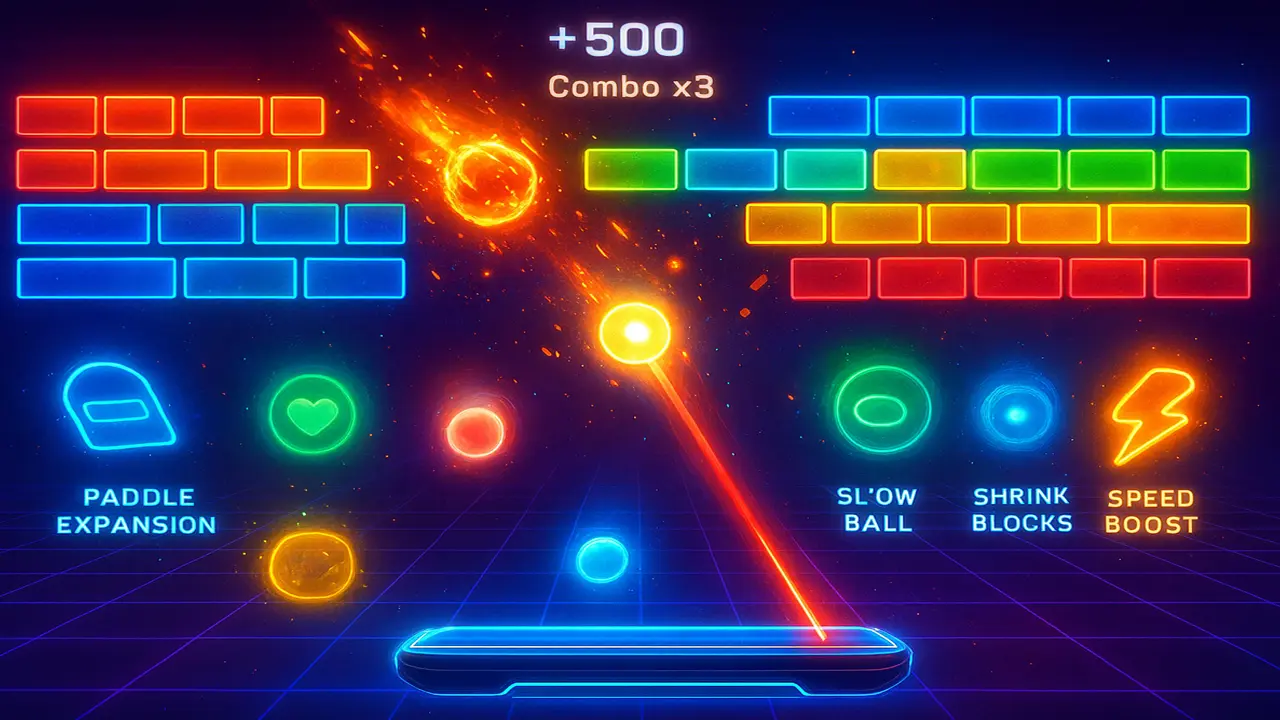
What Are Power Ups in Google Block Breaker?
Power ups are special boosts that drop from certain blocks during gameplay. When you catch them with your paddle, they activate instantly, transforming your strategy in seconds. You can experience all of these yourself. Simply play Google Block Breaker directly in your browser.
Some power ups are offensive,like the Fireball or Laser Beam,helping you tear through clusters of blocks. Others are defensive,like the Extra Life or Shield,designed to keep you in the game longer.
Without power ups, Google Block Breaker would be just another retro arcade game. With them, it becomes a fast-paced, unpredictable experience where strategy and reflexes collide.
List of All Google Block Breaker Power Ups
Below is a complete breakdown of the top Google Block Breaker power ups, what they do, and how to make the most of them.
Multi-Ball
The Multi-Ball splits your current ball into multiple balls, creating pure mayhem. Suddenly, you’re managing not one but three or more bouncing projectiles, each smashing through blocks and racking up points.
- ➥Best Use: Great for levels packed with blocks.
- ➥Pro Tip: Focus on keeping at least one ball in play; you don’t need to track all of them to win big.
Paddle Expansion
Also known as Bigger Paddle or Extended Paddle, this power up widens your paddle, making it easier to catch the ball.
- ➥Best Use: When the ball speed is high and precision is tough.
- ➥Pro Tip: A wider paddle is great defensively, but it reduces your ability to hit sharp angles. Adjust your playstyle accordingly.
Fireball
The Fireball allows the ball to burn through multiple blocks in one hit, ignoring the usual bounce mechanics.
- ➥Best Use: When blocks are stacked in dense clusters.
- ➥Pro Tip: Don’t waste this on single, isolated blocks,use it to cut through thick walls.
Laser Beam
The Laser Beam (sometimes called Laser Paddle) equips your paddle with lasers that shoot directly at blocks.
- ➥Best Use: Clearing stubborn blocks near the top of the screen.
- ➥Pro Tip: Combine with Multi-Ball for an unstoppable offensive combo,lasers clear one area while balls smash another.
Sticky Paddle
The Sticky Paddle catches the ball upon contact, letting you aim and release it on your own terms.
- ➥Best Use: Precision shots, especially when you’re down to the last few blocks.
- ➥Pro Tip: Don’t rush,take your time lining up tricky angles.
Extra Life
The Extra Life is exactly what it sounds like: one more chance to keep playing.
- ➥Best Use: Always. Never skip this power up.
- ➥Pro Tip: Collecting this late in the game is especially powerful, since mistakes are more likely in harder levels.
Slow Ball
The Slow Ball temporarily reduces the ball speed, giving you more time to react.
- ➥Best Use: Chaotic situations with multiple balls in play.
- ➥Pro Tip: Beginners should prioritize this,it makes the game much more manageable.
Shrink Blocks
The Shrink Blocks power up reduces block size, making them easier to clear.
- ➥Best Use: When large or unbreakable-looking blocks are clogging the level.
- ➥Pro Tip: Stack with Multi-Ball for rapid level clearing.
Shield (Barrier at Bottom)
The Shield creates a temporary safety net at the bottom of the screen, saving you if you miss the ball.
- ➥Best Use: During chaotic Multi-Ball sessions where losing track is common.
- ➥Pro Tip: Use the safety to take riskier, high-reward shots.
Speed Boost
The Speed Boost increases the ball speed, cranking up the difficulty.
- ➥Best Use: Early levels when you want to clear blocks fast.
- ➥Pro Tip: Avoid this power up if you’re struggling with paddle control. It’s a trap for less experienced players.
Offensive vs Defensive Power Ups
Not all power ups are created equal. Some focus on attacking blocks, while others are about keeping you alive.
| Offensive Power Ups | Defensive Power Ups |
|---|---|
| Multi-Ball | Extra Life |
| Fireball | Shield |
| Laser Beam | Slow Ball |
| Shrink Blocks | Paddle Expansion |
| Speed Boost | Sticky Paddle |
Offensive power ups are great for boosting your score multiplier and clearing levels fast. Defensive ones, however, are lifesavers when things get messy. A balanced mix is ideal.
Which Power Ups Are the Best in Google Block Breaker?
If we had to rank Google Block Breaker power ups by usefulness, here’s how the tier list would look:
- ➥S-Tier (Always Grab): Multi-Ball, Fireball, Laser Beam, Extra Life
- ➥A-Tier (Great Situational Use): Shield, Slow Ball, Paddle Expansion
- ➥B-Tier (Niche or Risky): Shrink Blocks, Sticky Paddle
- ➥C-Tier (Avoid Unless Confident): Speed Boost
The reasoning is simple: Multi-Ball, Fireball, and Laser Beam offer massive offensive potential, while Extra Life guarantees survivability. The others depend heavily on context.
How Power Ups Change the Game Experience
Without power ups, Google Block Breaker would feel like a basic Atari Breakout clone. With them, every round becomes unpredictable.
- ➥Offensive power ups speed up your progress and boost your high score.
- ➥Defensive power ups give you room for mistakes and let you experiment.
- ➥Chaotic combos (like combining Multi-Ball + Laser Beam) add a level of fun that keeps you coming back.
In short: power ups are what separate casual runs from leaderboard-worthy games.
Common Mistakes Players Make with Power Ups
Even seasoned players misuse power ups. Here are the big ones to avoid:
- ➥Grabbing every power up blindly – Not all are helpful. The Speed Boost can ruin your run.
- ➥Ignoring defensive options – A missed Shield or Extra Life can cut your game short.
- ➥Using Fireball on single blocks – Wasteful. Always aim for clusters.
- ➥Releasing Sticky Paddle shots too soon – Precision matters.
- ➥Stacking without strategy – Some combos (like Slow Ball + Multi-Ball) are amazing, others (like Speed Boost + Multi-Ball) are disasters.
Conclusion: Mastering Power Ups for Higher Scores
Google Block Breaker power ups are more than just flashy bonuses,they’re the foundation of strategy. By learning when to grab Multi-Ball, when to avoid Speed Boost, and how to balance offensive and defensive upgrades, you’ll unlock the game’s full potential.
Remember:
- ➥Prioritize S-Tier power ups.
- ➥Stack strategically.
- ➥Don’t grab blindly.
Master these simple principles, and you won’t just survive Google Block Breaker,you’ll dominate it.