
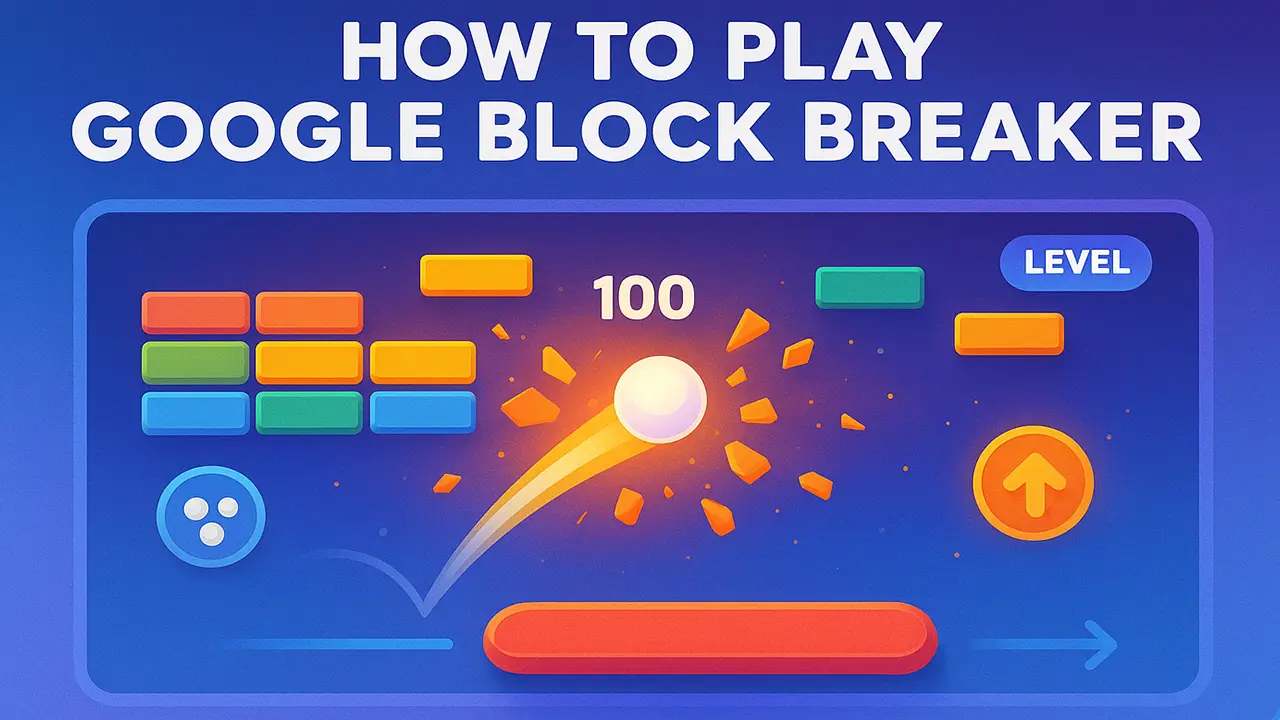
Whether you’re on your laptop during lunch or killing time on your phone, here’s a complete guide to understanding what Google Block Breaker is and exactly how to play.
What Is Google Block Breaker?
At its core, Google Block Breaker is a browser-based mini-game inspired by the classic brick breaker genre.
Think of it as Google’s modern tribute to Atari Breakout (1976) and its later spin-off, Arkanoid.
In
this genre, the rules are straightforward:
- ➥You control a paddle at the bottom of the screen.
- ➥A ball bounces around, breaking colorful blocks or bricks at the top.
- ➥Clear all the blocks, and you move to the next stage.
Google revived this arcade formula in the form of a Google Doodle / Easter egg game, adding smooth animations, playful sound effects, and polished visuals. The result? A nostalgic yet modern time-killer anyone can enjoy.
Where to Play Google Block Breaker
Unlike other games that require downloads or apps, Google Block Breaker is completely browser-based. You can access it within seconds.
Playing in Google Search (Desktop)
- ➥Open Google Search in your browser.
- ➥Type https://blockbreakergame.pro/.
- ➥A playable version opens instantly — no installation needed.
Mobile Access (Touch Controls)
Yes, it works on your phone too. Simply search for it using Google on your mobile browser (Chrome, Safari, or Firefox). Instead of using a mouse, you’ll control the paddle with your finger swipes or taps, which makes it surprisingly responsive.
Browser Compatibility
Google Block Breaker works best on Chrome, but it’s also compatible with most modern browsers:
- ➥Desktop: Chrome, Firefox, Safari, Edge
- ➥Mobile: Chrome (Android), Safari (iOS)
Because it’s lightweight and free, you don’t need to worry about downloads, lag, or storage space.
Step-by-Step Guide to Playing
If you’re opening the game for the first time, here’s what you’ll see and how to play.
Launching the Game
Once the game loads in your browser, you’ll immediately spot a paddle at the bottom of the screen and a ball waiting to be launched. Simply press space bar (desktop) or tap the screen (mobile) to get started.
Understanding the Paddle and Ball Controls
- ➥On desktop, move the paddle left and right with your mouse or arrow keys.
- ➥On mobile, slide your finger across the screen to control paddle movement.
- ➥When the ball hits the paddle, it bounces back at a new angle depending on where it landed. This angle control is key to aiming at tricky blocks.
How Blocks Break and Levels Progress
- ➥The goal is to break all the colored blocks at the top.
- ➥Some blocks may require multiple hits or may hide power-ups.
- ➥Once all blocks are cleared, you automatically advance to the next level, where the speed increases and layouts get more challenging.
Scoring Basics
- ➥Every block you break adds points to your score.
- ➥Simple blocks = basic points
- ➥Special bricks or combos = higher multipliers
- ➥Catching power-ups (like a bigger paddle or multi-ball) can help rack up points faster
Key Features You’ll Notice While Playing
Google’s take on Block Breaker is simple, but a few features make it stand out:
Colorful Block Layouts and Animations
The blocks aren’t just static rectangles. They’re vibrant, animated, and arranged in fun patterns that change as you progress.
Increasing Speed and Difficulty Over Time
Each level ramps up the ball speed and sometimes introduces tricky layouts. What starts casual quickly becomes a reflex-based challenge.
Special Bricks and Surprise Elements
While mostly straightforward, some levels may include indestructible blocks or surprise power-ups. These add variety and keep the game engaging beyond the first few levels.
Why People Love Playing Google Block Breaker
It’s not just about breaking digital blocks — it’s about the experience.
Quick, Casual Fun Anytime
The game loads instantly in your browser, making it the perfect pick-me-up during work breaks, commutes, or downtime.
Nostalgic Throwback to Atari Breakout
For anyone who grew up in the arcade era, this is a modern, free way to relive that retro gaming nostalgia.
Free & Accessible Across Devices
No apps, no downloads, no hidden fees. Just open your browser and play, whether on a desktop, laptop, or phone.
Final Thoughts
Google Block Breaker is proof that simple games never die. With just a paddle, ball, and bricks, it creates endless fun — whether you’re chasing a high score or just passing a few minutes.
So next time you’re on Google, type in “Block Breaker” and start smashing those colorful bricks. Who knows — you might discover your new favorite time-killer.